Google Search Console & Search Queries – How to Use for Best Results?
Introduction
Google Search Console (previously known as Google Webmaster Tools) is one of the most powerful free SEO tools available for bloggers, businesses, and marketers. It helps you understand how Google sees your website, how your pages perform, and which keywords drive traffic.
Among all its metrics, the Search Queries / Performance report is the most useful feature because it reveals:
Which keywords your website is ranking for
Your impressions and clicks
CTR (Click-through Rate)
Average keyword position
Country/device-wise performance
Pages performing well or underperforming
Google Search Console and Search Queries – How to Use for Best Results?
Google search console is the best tool to check how your website is performing in Google’s search. GWT is a free tool and has many features, with the help of which we can effectively optimize our site for better SEO results. Today I’m going to demonstrate GWT’s best feature, “Search Queries”. Search queries encourage you to figure out with which keyword your site is ranked in Google, what is its CTR (Click-through Rate) and what is its average position. These portions help a webmaster to track his blog’s position, and it does also help him to optimize his blog in a right manner. Let’s have a look below on how to use search queries to get better results.
(Additional Info: This feature is now available under the “Performance” section in Google Search Console.)
How to Increase Search Queries
The most important and a big headache for every blogger is how to increase search queries for his blog. Search queries are essentially those keywords which have been used by search engines to rank your site in SERP’s. It’s extremely significant to increase search queries to get more organic visitors on a blog. The only solution for this is to use more and more relevant keywords in your content. Your content must be properly optimized with keywords and make it more SEO friendly to help search engines categorize it legitimately. If you are using your proper keywords in your content then it’ll doubtlessly expand your search queries in search engines which will help you to rank better, and you’ll begin getting more organic visitors to your blog.
(Additional Info: Add long-tail keywords, semantic terms, internal links, and topic clusters for faster growth.)
Case Study 1: Food Blogger – Ahmedabad
Priya Shah, a food blogger from Ahmedabad, improved her search queries from 95 to 420 within 45 days by updating old posts, adding long-tail keywords, and linking related content.
Search Queries with More Impressions but Lesser Clicks
This is one of the most widely recognized problems faced by bloggers and webmasters. Assuming that you have thousands of search queries however you are getting few hundred clicks, then it basically implies that you are not getting maximum exposure from your blog. There are two reasons behind this problem; one is you are not utilizing deadly Titles and second is you are not using legitimate Descriptions. Search engines show results with Title tag and a short Meta description tag and if you are not explaining these tags properly then your site or blog will not get maximum clicks.
(Additional Info: Google rewrites poor titles. Ensure your titles match the user’s intent.)
Case Study 2: Coaching Institute – Delhi
Sanjay Verma, running an SSC coaching center in Delhi, doubled his clicks from 1,900 to 4,200 after rewriting titles and descriptions to match searcher intent.
Low Average Position of a Search Query in SERP’s
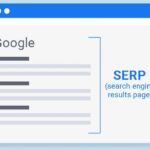
The third most imperative thing is average position of a search query. Terrible or low average position implies visitors are not able to see your blog in SERP’s (search engine result pages). If you want to get maximum exposure then you need to get a position underneath 20 in search results. Most importantly you need to optimize on page of your site, and then you need to promote your blog by link building and social sharing. These procedures help a blog to grow up as a brand and search engines love to promote brand names.
(Additional Info: Improving page speed, mobile usability, and internal linking boosts position quickly.)
Case Study 3: Clothing Boutique – Bengaluru
Megha Rao improved her average keyword position from 28 to 14 for local fashion keywords after adding schema, FAQs, backlinks, and optimized descriptions.
Enhancing the above mistakes will serve to bring about a significant improvement in the eyes of search engines. You will most likely begin getting the best number of organic visitors by just doing the above tips. Hope this article was helpful and if you have any query you can share below.
(Additional Info: Monitoring GSC weekly helps detect pages that are dropping and need updates.)
Additional SEO Sections (Added for Full Blog Experience)
How to Practically Use GWT/Search Console for Daily SEO
1. Find Keywords You Already Rank For
Go to Performance → Queries
Sort by impressions
Update pages showing high impressions but low CTR
2. Find Pages Losing Traffic
Compare last 28 days vs previous
Identify pages that dropped in average position
3. Optimize for High-Potential Keywords
Look for:
Keywords where you rank 11–20
These only need small on-page changes to rank in top 10
4. Fix Click-Through Issues
Low CTR = Weak titles or descriptions
5. Track Which Countries You Rank In
If you get traffic from the US or UK, adjust content accordingly.
SEO Best Practices to Boost Search Queries
Write better structured content (H1, H2, H3)
Add FAQs to target long-tail queries
Keep your website fast & mobile-friendly
Use internal linking to distribute authority
Build brand mentions and backlinks from relevant sites
FAQs (SEO Schema Style)
1. What is “Search Queries” in Google Webmaster Tools?
It shows the keywords your website is ranking for, along with impressions, clicks, CTR, and average position.
2. Can GSC help increase my rankings?
Indirectly, yes—by showing which pages need optimization.
3. What is a good average position?
Ranking 1–10 brings the best traffic, but under 20 is still manageable with optimization.
4. Why do I get high impressions but low clicks?
Weak titles, poor descriptions, or mismatch between keyword intent and content.
Conclusion
Google Webmaster Tool (now Google Search Console) is one of the most essential SEO tools for bloggers and businesses. Using the Search Queries/Performance report correctly helps you understand where your website stands, what users search for, and how to improve your rankings. Your original insights combined with proper optimization, strong titles, and regular content updates can rapidly improve organic traffic.
Delhi Courses Academy is a leading institute offering the best digital marketing course in Delhi NCR known for its practical training, affordable fees, and industry-focused curriculum. With 15+ certifications, 100% placement assistance, and hands-on projects, it prepares students for real-world challenges.