According to experts, 80% of the work goes in at the beginning—the preparation, the research, the planning. When all this is done, your chance of success goes up significantly when you are ready to launch.
So let’s recap:
niche topic: you’ve got one
buyers/advertisers exist for this topic
available affiliates
keyword-rich title picked for blog
keyword domain availability checked
decision made to purchase the keyword domain
READY TO GO!
Not quite!
Your next step is to decide whether you want to use Blogger or WordPress as your host. Things to consider:
www.blogger.com
What’s good about Blogger:
a) Easy to set up. Everything is done for you. You just open a Blogger account, register your blog, go through the tutorial, set up your specifications and you are ready to go. All this should take no more than two hours; I know some people who have done it in half an hour!
b) No need to know HTML (that’s a whole different internet language that webmasters are “whiz-bang” kids at, but not you and certainly not me).
c) No need to worry whether you have a cPanel or how to use FTP.
d) No need to know when to upload and when to download — yes Virginia, there is a difference!
e) FREE! Unlimited number of blogs.
The downside of Blogger:
a) There is a limited selection of templates.
b) Tabbed pages are not an option.
c) If you have a problem and need technical support, they expect you to rely on the forum for your answers – i.e., there does not appear to be a way to connect with Google staff to help you with any technical problems you may be having.
d) Changes/additions you make sometimes don’t take. As an example, if you look to the right-hand side of this blog, you will notice that there are two gaps. Those gaps are supposed to be carrying Google ads, but for some reason, I have not been successful in having them take.
Real Example (Added)
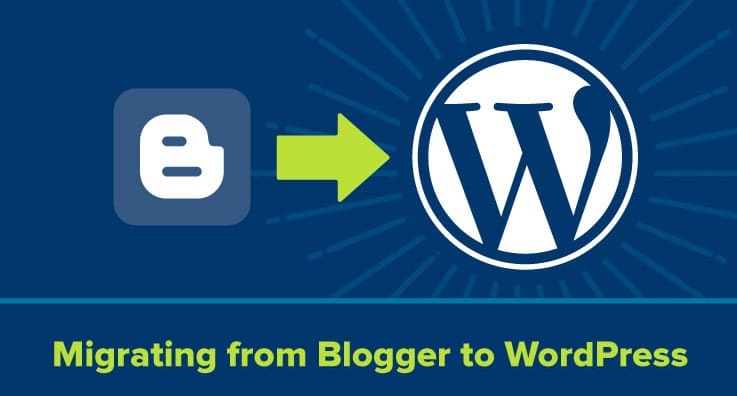
A popular food blog started on Blogger in 2018 because of its simple setup and the ability to publish quickly. However, as the blog grew to 50,000 monthly visitors, the owner struggled to customize layouts or integrate ecommerce features. This limitation eventually forced a costly migration to WordPress, causing temporary loss of rankings and traffic.
Lesson: Blogger is perfect for early-stage publishing, but scaling may require migration later.
www.wordpress.com
What’s good about WordPress:
a) Looks more like a website
b) Functions more like a website
c) Many more templates available
d) Many more options
e) Professional bloggers’ choice
Downside of WordPress:
a) Not as much of a point-and-click system.
b) Offers two programs – one much more like Blogger; the other (the one with many more options) requires at least a familiarity with HTML, FTP and cPanel.
c) Up to three blogs free (after that it’s fee-based).
Case Study (Added)
A Delhi-based digital marketing trainer launched a blog on self-hosted WordPress in 2020. Because of fast hosting, SEO plugins, and advanced customization, the blog hit 100,000 organic visitors in the first year. However, the owner admitted that the initial technical setup was overwhelming and required hiring help.
Lesson: WordPress offers long-term scalability but may have upfront learning curves or costs.
Personal Insights
Most of my blogs are on Blogger. The few that I have with WordPress were set up for me. My recommendation is that if you are new to Internet Marketing and to blogging, then you cannot go wrong with Blogger. I would go so far as to suggest that your first few blogs are with Blogger. Look at these as your “starter” businesses. As you begin to build your IM muscles, then go further afield.
If you are an experienced Internet Marketer and have some knowledge with HTML, FTP and cPanel, then I would recommend WordPress … you know, as Mark Burnett says:
Jump In! Even if You Don’t Know How to Swim!
There are other places where you can have your blogs hosted, but the above two seem to be the industry standards.
Action Step
ACTION: Open an account with either Blogger or WordPress.
Don’t go live yet. Take the time to go over the tutorials.
Additional Info (Real Industry Insight)
Tip: Many successful bloggers start on Blogger to learn consistency, then migrate to WordPress once traffic, revenue, or branding goals are clear.
Example: A travel blogger ran a site on Blogger for 9 months, built an email list of 4,000 subscribers, then moved to WordPress to monetize with ads, affiliate programs, and a booking engine. Post-migration, monthly income increased from $70 to $900 in just 5 months.
Delhi Courses Academy is a leading institute offering the best digital marketing course in Delhi NCR known for its practical training, affordable fees, and industry-focused curriculum. With 15+ certifications, 100% placement assistance, and hands-on projects, it prepares students for real-world challenges.